
Key Advantages of Dedicated Scanners in Banking
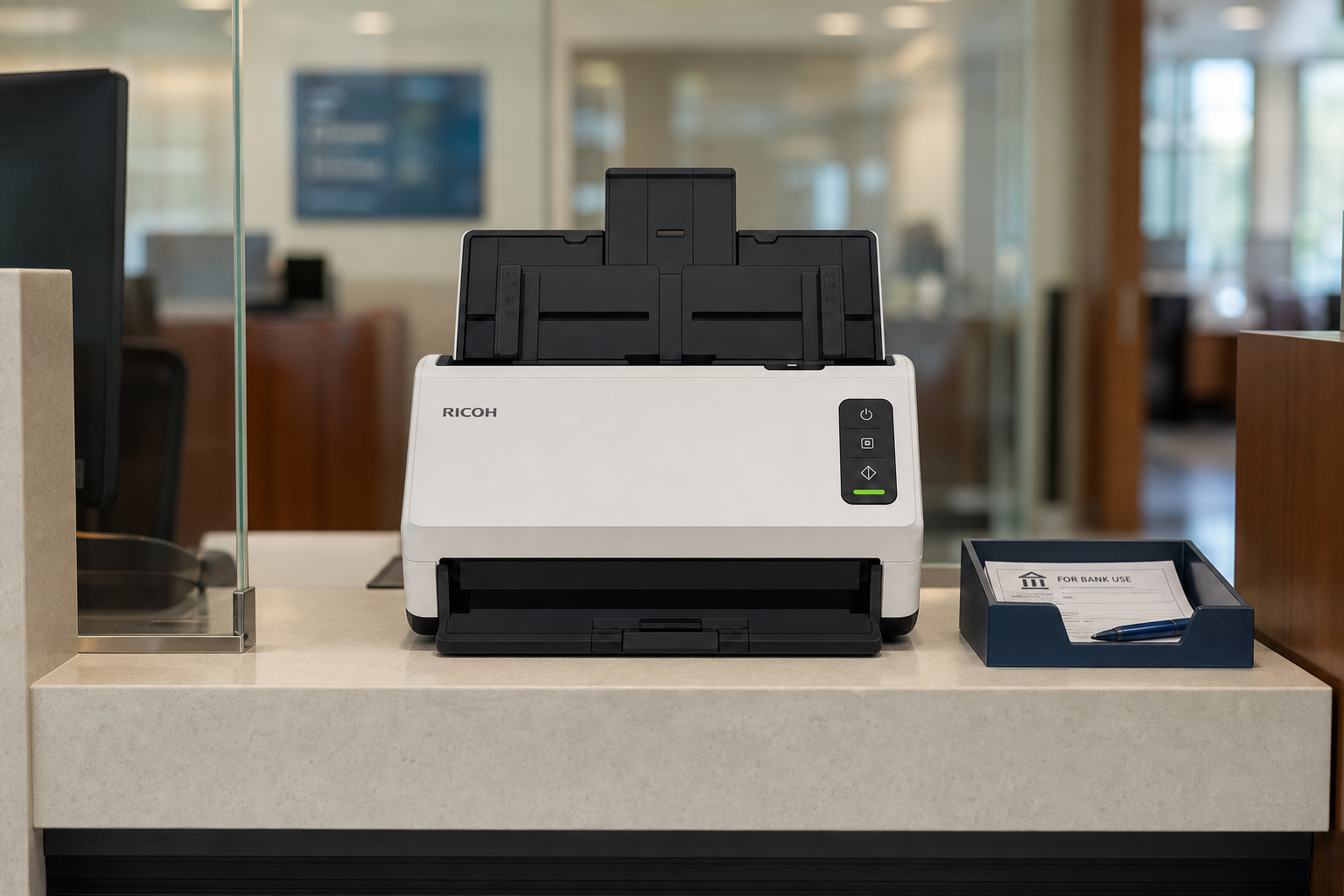
Dedicated scanners are better than multifunction printers (MFPs) in the banking industry because they offer higher processing speeds, superior image and OCR accuracy, specialized cheque-handling features (like MICR reading), and uninterrupted workflow capacity.
Key Advantages in Banking
- Cheque Processing and MICR Support: Standard MFP scanners rely on basic Optical Character Recognition (OCR), which struggles with accurate cheque data extraction. Dedicated cheque and document scanners feature MICR (Magnetic Ink Character Recognition) readers and built-in fraud detection tools required for high-accuracy financial processing.
- Speed and Volume: Banks handle thousands of loan applications, contracts, and compliance forms daily. Dedicated scanners process anywhere from 60 to over 300 pages per minute with automatic duplexing, whereas MFPs are significantly slower and prone to bottlenecks.
- Uninterrupted Operations: On an MFP, scanning is often delayed or halted if someone is actively printing, copying, or if the device runs into a paper jam related to its print mechanism. Dedicated scanners operate continuously without competing against print jobs.
- Superior Image Quality & Smaller File Sizes: Dedicated scanners use advanced image processing (such as automatic deskewing, cropping, blank-page removal, and contrast enhancement). This produces cleaner images that yield higher OCR accuracy while generating files up to 30% smaller, saving storage space over time.
- Workflow Automation and Barcode Recognition: Many dedicated units automatically read barcodes and patch codes as separator sheets to name, sort, and route multi-page files straight into banking document management systems.
- Security and Data Privacy: Standalone scanners often feature PC-less or direct cloud/network authentication and lack internal hard drives that store cached copies of sensitive financial records, reducing data breach risks.
Retail Bank Branches: Customer-Facing & Onboarding Workflow
In a retail branch, scanning must be fast, highly secure, and quiet enough to occur right in front of the customer. The goal is instant verification and compliance during live interactions (e.g., account openings, walk-in deposits).
Recommended Hardware: RICOH fi-8170 Desktop Scanner
- Throughput Metrics: Processes 70 pages per minute (ppm) / 140 images per minute (ipm) in duplex mode. Equipped with a 100-sheet Automatic Document Feeder (ADF).
- Daily Duty Cycle: Rated for up to 10,000 sheets per day.
- Specialized Handling: Built-in Intelligent Sonic Paper Protection (ISOP) uses acoustic sensors to stop the feeder instantly if it hears a document crumpling, protecting a customer’s original passport, signature card, or ID.
The Software Workflow
- Instant Extraction & Verification: The teller places a customer's driver's license and a signed signature card into the hopper.
- Clear Image Capture (CIC): The RICOH driver sharpens low-contrast signatures and text.
- Zonal OCR Mapping: The core middleware reads the ID's barcode or MRZ text and maps fields (Name, Address, DOB, ID Number) directly to the Customer Information File (CIF) inside core banking platforms like Fiserv, FIS, COCC or Jack Henry.
- Instant Archiving: Bypassing the desktop's hard drive entirely to adhere to GLBA compliance, the signed onboarding packet is instantly committed to the cloud repository, and the physical papers are handed right back to the customer.
Centralized Mortgage Operations: High-Volume Batch Hubs
A mortgage operations center acts like a fulfillment factory, processing backloads of thick loan loan packets, multi-page appraisals, title records, and closing folders from multiple branch locations.
Recommended Hardware: RICOH fi-7700 High-Volume Production Scanner
- Throughput Metrics: Blazing speeds of 100 pages per minute (ppm) / 200 images per minute (ipm) in a landscape feed orientation. Equipped with a massive 300-sheet hopper.
- Daily Duty Cycle: Heavy-duty architecture engineered to handle up to 30,000 sheets per day.
- Specialized Handling: Features Stapled Document Detection that automatically stops the system if a staple is hidden in a closing package. It handles mixed batches of varied sizes (from fine-print receipts to 11x17 property blueprints) using automated skew correction.
The Software Workflow
- Batch Ingestion: Mailroom operators drop an entire 500-page loan closing box into the hopper. They don't sort the pages manually; instead, they insert barcode patch sheets or separator pages between individual client loans.
- PaperStream Capture Pro: This specialized production software handles multi-station data verification. It reads the separator barcode to automatically split the 300-page stack into distinct client folders.
- Document Classification & Intelligent Formatting: The software scans the structure of the pages to identify what it's looking at (e.g., distinguishing a W-2 from a tax return or a bank statement).
- System Extraction: Advanced AI modules pull the transaction metrics—such as matching the exact final loan amount on the closing disclosure against the core database.
- Core Ingestion: Once validated by a back-office reviewer, PaperStream pushes the entire structured, indexed payload via API into the Enterprise Content Management (ECM) platform (such as Epicor ECM/docSTAR, Hyland OnBase or RICOH DocuWare), triggering automated downstream underwriting tasks.
Side-by-Side Comparison
|
Feature / Metric |
Retail Bank Branch |
Mortgage Operations Center |
|---|---|---|
|
Primary Unit |
RICOH fi-8170 |
RICOH fi-7700 |
|
Throughput Speed |
70 ppm / 140 ipm |
100 ppm / 200 ipm |
|
Hopper Capacity |
100 sheets |
300 sheets |
|
Daily Duty Cycle |
10,000 sheets |
30,000 sheets |
|
Media Target |
IDs, checks, individual customer forms |
Bulk loan packets, tax forms, 11x17 blueprints |
|
Software Target |
Real-time TWAIN/ISIS driver core integration |
Batch indexing via PaperStream Capture Pro |